
Overview
The Custom Events section allows you to attach custom server-side logic to key points in a form's lifecycle. When a configured event fires, it triggers the corresponding event handler defined in PCR-360's Custom Logic system.
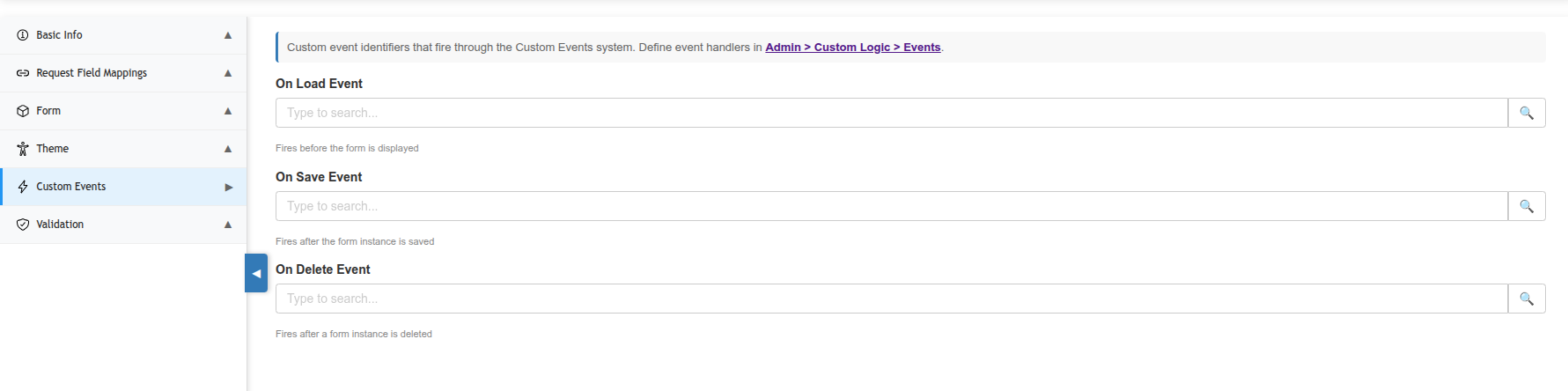
Event handlers must be defined in Admin > Custom Logic > Events before they can be selected here. The Custom Events section references existing handlers by name — it does not create them.
Available Event Hooks
|
Event |
When It Fires |
Common Use Cases |
|---|---|---|
|
On Load Event |
Fires before the form is displayed to the user. |
Pre-populating field values, checking user permissions, loading dynamic data into the form before rendering |
|
On Save Event |
Fires after the form instance is successfully saved. |
Sending notifications, triggering workflows, updating related records, logging submission activity |
|
On Delete Event |
Fires after a form instance is deleted. |
Cleanup tasks, audit logging, reversing actions taken by the On Save event |
Configuring an Event Hook
-
Expand the Custom Events section in the Edit Form sidebar.
-
Click the search icon next to the event you want to configure (On Load, On Save, or On Delete).
-
Search for and select the event handler you want to attach.
-
Save the form to apply the change.
To remove an event hook, clear the selected handler from the field.
Defining Event Handlers
Custom event handlers are PHP-based logic defined in Admin > Custom Logic > Events. Each handler has access to the form instance data and the PCR-360 database. Refer to the Custom Logic documentation for details on writing event handlers.
Event handlers run server-side on every form load or save. Ensure handlers are efficient and properly tested before attaching them to production forms.