
Attachments
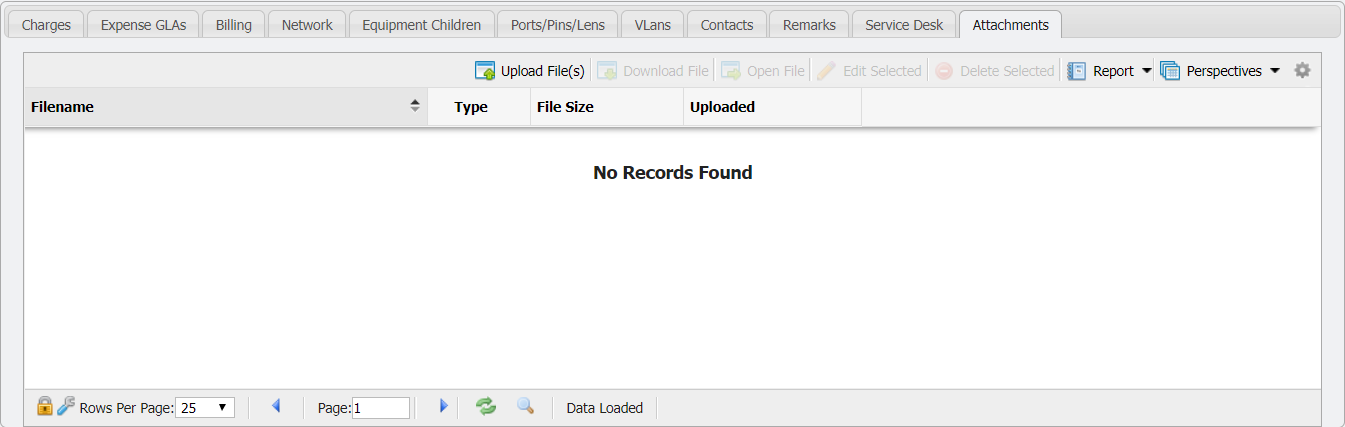
The 'Attachments' tab allows Users to attach file(s) (including .pdf, .jpg, .doc, and more) of interest or relevance to the Inventory item by uploading the file(s) into PCR-360. There is a file size limit of 10 Mb on attached files. This can help track documents related to a specific piece of Equipment like a repair order, scanned notes, or CAD diagrams.
Uploading a File
To attach one or more files, navigate to the 'Attachments' tab and click the 
Download File
Allows a User to download a file to their local machine. To download the file, select the file to download, and click the 
Open File
This will open the file, if possible, for viewing by the User. To open the file, select the file to view and click the 
Edit Selected
Allows the name of the file to be modified within PCR-360. To edit the name select the file to be edited and click the 
![Manage_attachment_form[1].png](/__attachments/a_b0a99f9886acbb04d9824a151bf15b8078c92d111add7a12ea8018de08b6b710/Manage_attachment_form%5B1%5D.png?cb=385088f31776c4259472c3d34e50b93f)
If a User modifies the name of the file, that is the new name that will be used when downloading the file. To edit simply modify the filename in the 'Filename:' field and click the 
Delete Selected
The 