
-
On the Request Professional Services form at help.pcr.com, enter the following information.
-
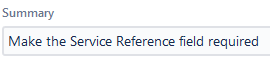
Enter a Summary of the work needed. This is a required field.
-
For example, "Make the Service Reference field required".
-
-
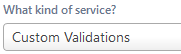
Enter the type of work requested in the What Kind of Service? field. This is a required field.
-
Custom Events - create customized behaviors in PCR-360
-
Custom Integrations - connect with external applications via the API
-
Custom Validations - add validation logic for some data type
-
Data Refreshes - copy prod data to test to keep test data current
-
Importing a File - help writing Imports or Import Conditional Logic
-
Paid Feature - pay to add a specific feature, or escalate a feature into a specific patch/version
-
Report Writing - get an AdHoc grid built to specification
-
Training - request additional training above and beyond the initial training PCR provides
-
-
Enter a Description and outline your requirements for the requested work. Make sure to include all relevant details of the needed work.

-
If there is a particular date the upgrade should be done on, enter that date in the Requested Completion Date field.
-
Any additional information can be entered into the remaining optional fields:
-
Requested Completion Date
-
Impact
-
Attachment
-
-
Click the

The Professional Services Request will be submitted to the PCR Account Manager who will confirm details and work to schedule the requested work.