How to find the Screen Resolution
Listed below are the methods to find the Resolution on PC and Mac Computers
How to find the Resolution for a PC
-
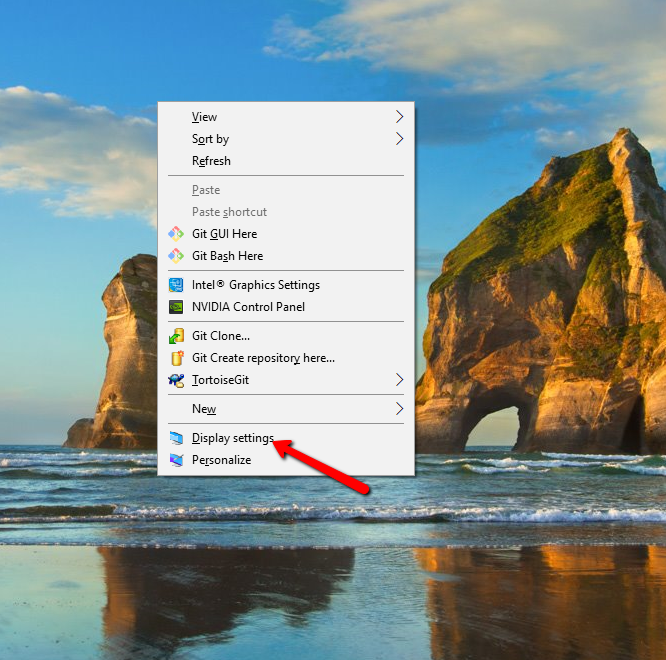
Right-Click on desktop and select "Display Settings."
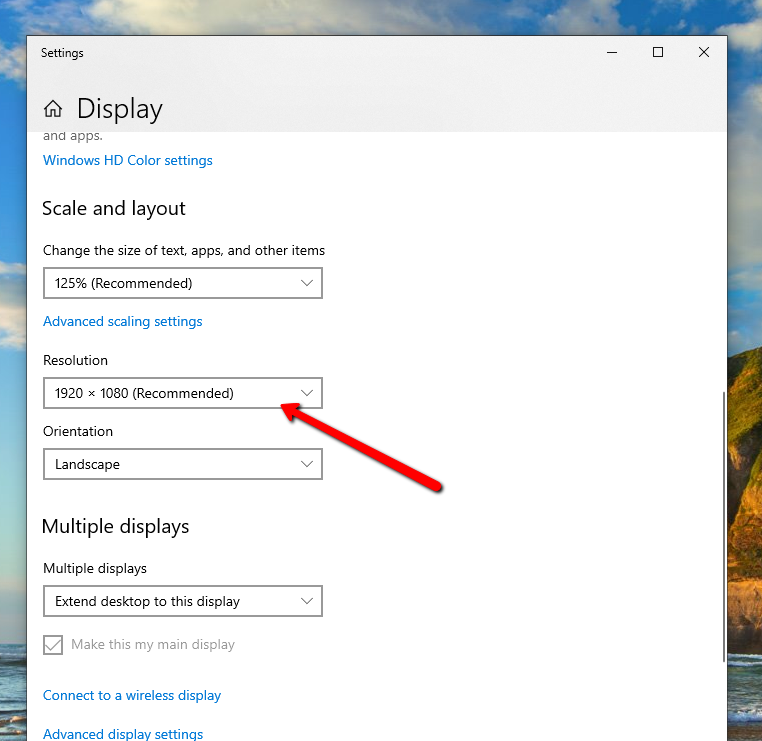
2. In the Display Settings scroll down to the Resolution Section to view the current Resolution. You can also change the Resolution by clicking the arrow to view all the available resolutions that you can select.
How to find the Resolution for a Mac
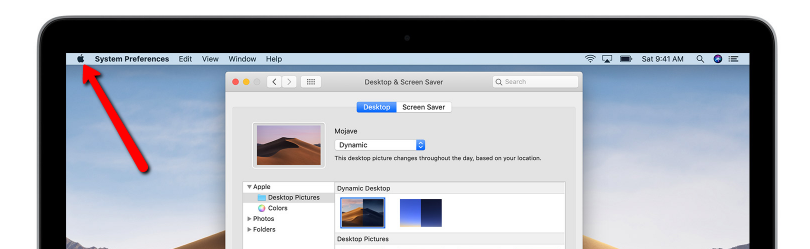
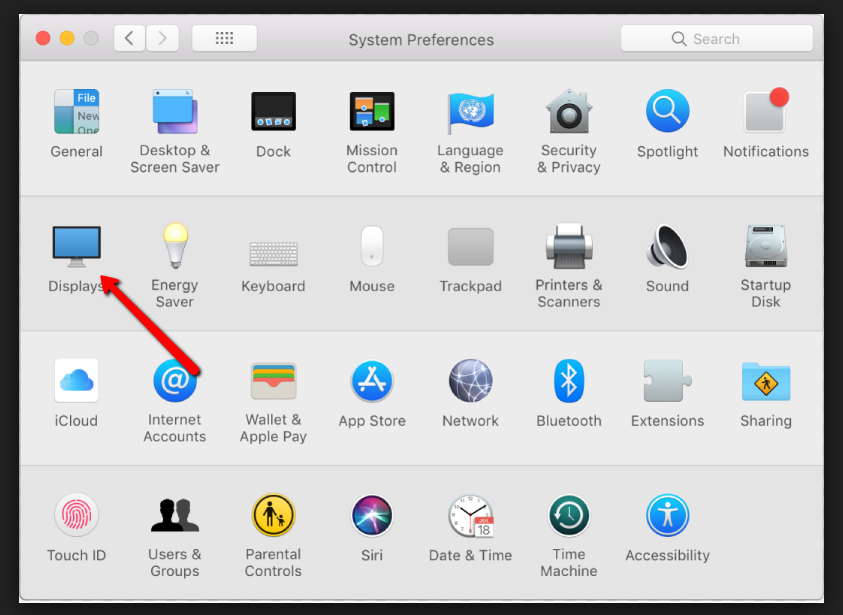
1. Click on the Apple Menu and select System Preferences.
2. From the System Preferences Menu select Displays.
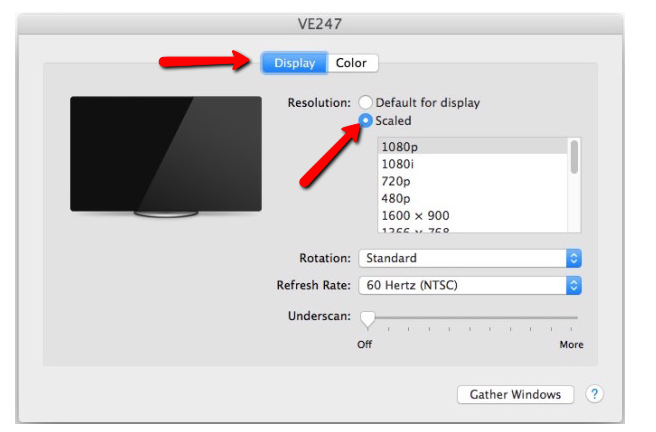
3. From the Displays Menu select the Scaled Radio Button to view the current Screen Resolution as well as change it.
How to find the Zoom Percentage
Listed below is the method to find the Zoom Percentage for the Chrome, Firefox and Internet Explorer Browsers
How to find the Zoom Percentage for Google Chrome
-
Ctrl + Mousewheel Up/Down
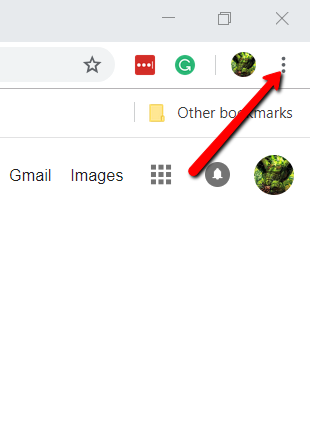
2. Customize and Control Section (Three Vertical Dots Icon at Top Right of Browser)
a. Click on the Three Dots at the top right of the Chrome Browser
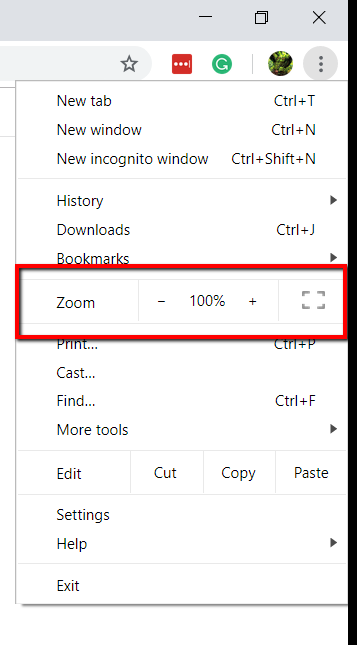
b. Navigate to the Zoom Section to see the current Zoom Percentage and to change it
How to find the Zoom Percentage for Firefox
-
Ctrl + Mousewheel Up/Down
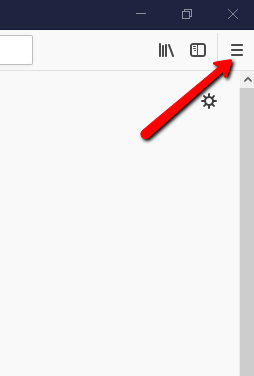
2. Menu Section (Three Lines Icon at Top Right of Browser)
a. Click on the Three Lines at the Top Right of Firefox Browser
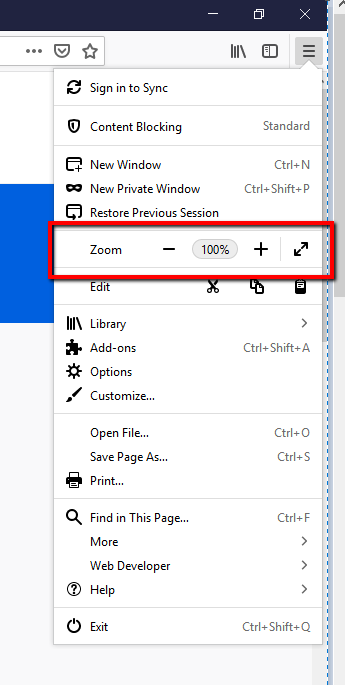
b. Navigate to the Zoom Section to see the current Zoom Percentage and to change it
How to find the Zoom Percentage for Internet Explorer
-
Ctrl + Mousewheel Up/Down
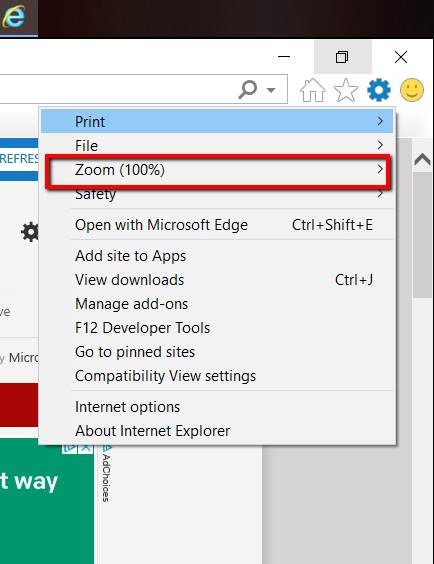
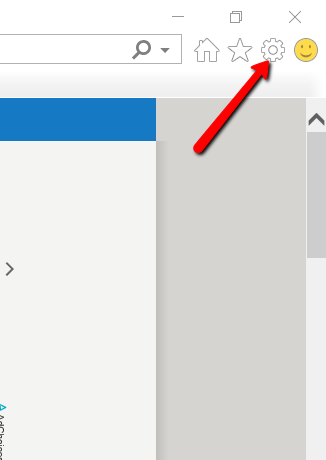
2. Tools (Gear Icon at the Top Right of Browser)
a. Click on the Gear Icon at the Top Right of the Internet Explorer Browser
b. Navigate to the Zoom Section to see the current Zoom Percentage and to change it