
Update Services and Equipment Widget
A User with access to the Department Services/Equipment Widget can request changes for any of their Department's Services or Equipment from the main CustomerCenter landing page. To request, these Changes click on the 
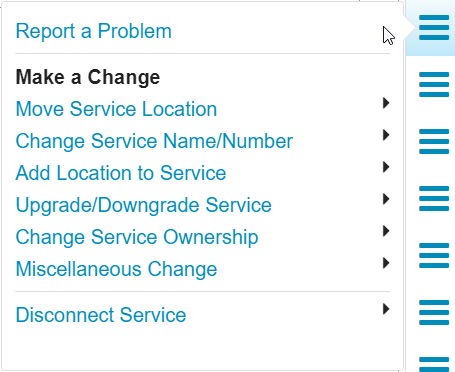
Note: The text within this Menu is customizable, and the text displayed below may not reflect your Organization's usages.
-
Report Incident: report an issue with a Service/Equipment
-
Make a Change: request updates to the Service/Equipment
-
Disconnect Service: request the deactivation of the Service/Equipment.
Note: When updating a Services with multiple Locations, a User will also be able to select the Current Location of the Service, so the updates can be applied to the desired Location.
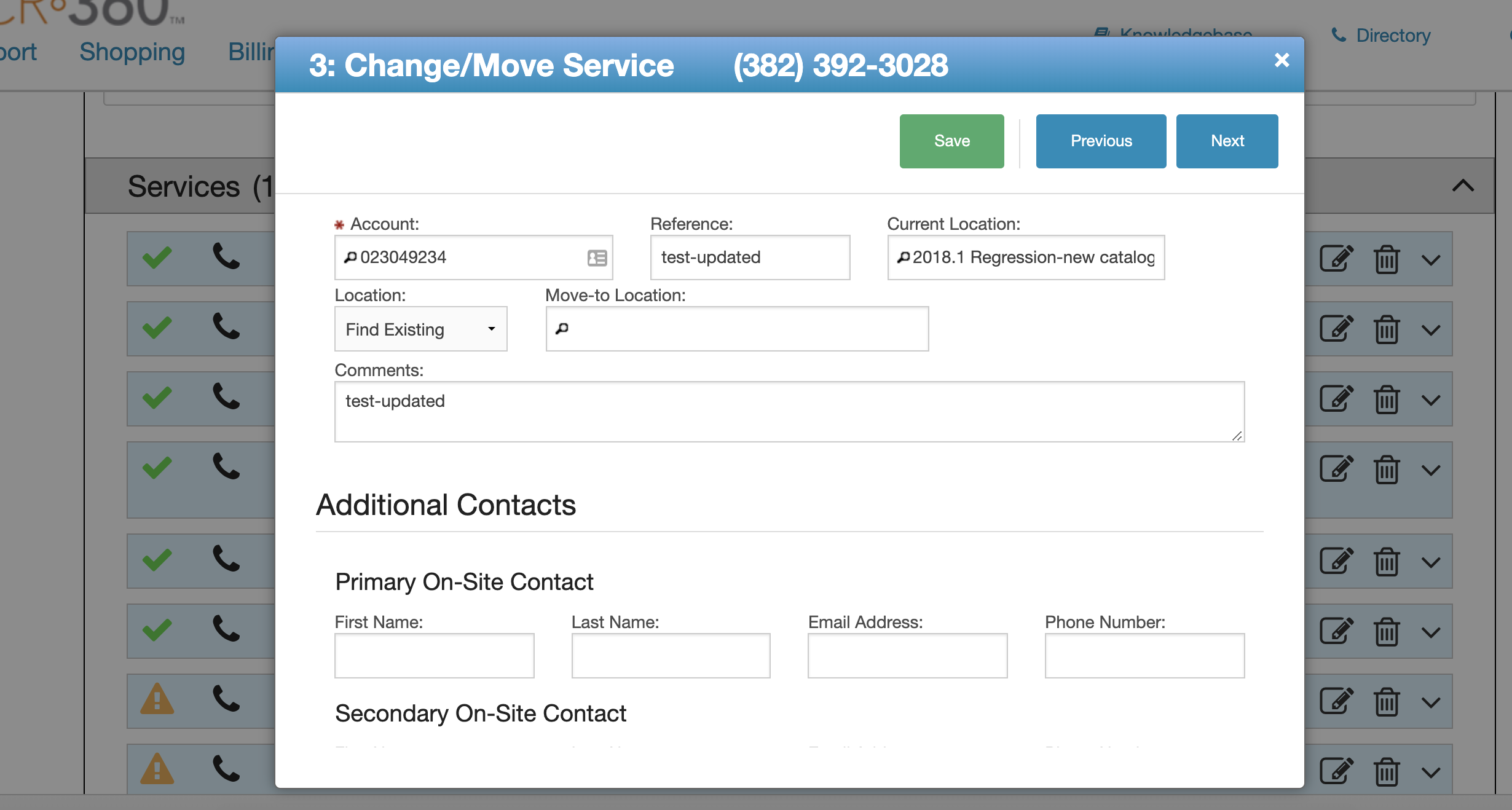
These Changes can be consolidated into a single Request or placed on separate Requests or even on New Requests.

To update individual items after they have been submitted perform the following steps:
-
Click on the

-
Locate the Request for the Service/Equipment update.
-
Click the

-
Click the

-
Make the desired updates.
-
Click the

-
Then close the form.