
Outages are any issues where Users cannot access the application. The problem might be anything from the server being down, to Permissions not being set correctly.
-
On the Outage Report form at help.pcr.com, enter the following information.
-
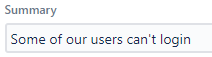
Enter a Summary of the work needed. This is a required field.
-
For example, "Some of our users can't log in".
-
-
Enter a Description of the problem that Users are experiencing. Include as many details as possible to help us identify and resolve the issue.
-
For example, "We have five Users that are not able to log in. Everyone else seems to have access. Why is this happening?".

-
-
Select the System that is experiencing an outage or failure. This is a required field.
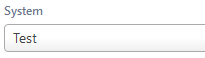
Example of the System field on the Upgrade Request form -
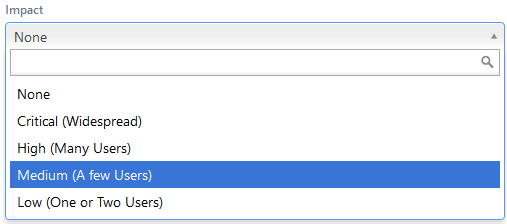
Enter the Impact on Users. This can help PCR more quickly determine the root cause of an Outage and provides a starting place to find the root cause.
-
Critical - no one can access the application
-
High - a couple of Users are not having issues, but most everyone else is not able to use the application.
-
Medium - a few Users are having issues, but the issue appears contained to them.
-
Low - one or two Users are having problems
-
-
Optionally enter the PCR-360 version into the Affects Version/s field.
-
To find the version click the

-
-
Click the

The Outage Report will be submitted to the PCR Helpdesk team to determine the cause and seek a resolution.