
Emails
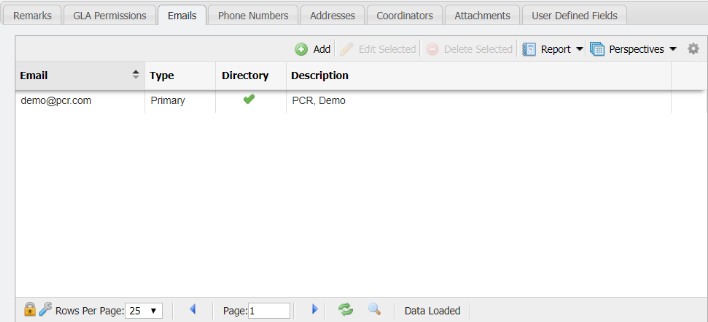
The 'Emails' tab will associate an email address to a Contact record. Multiple email addresses can be saved in PCR-360 with the option to set an Email Address as the primary for the Contact. To add an email association, use the following steps:
-
Click the

-
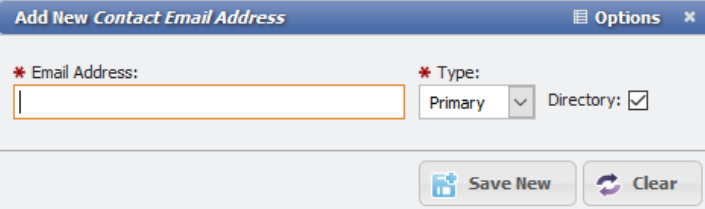
This will open the 'Add New Contact Email Address' form.
-
Enter the Email Address and select if the Email is intended as a Primary contact or as an alternate email.
-
If the Email Address should show in the Directory select the 'Directory' checkbox.
-
Click the

The Email Address for the Contact will be added to the grid.
Set as Primary
The 