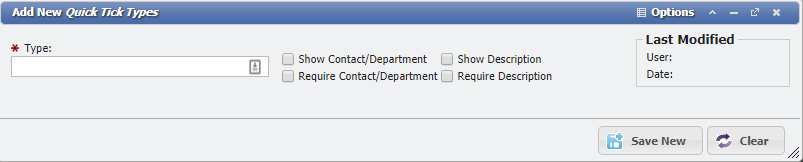
Create a Quick Tick Type
This process is used to create a Quick Tick Type that can be used to create Quick Ticks.
-
Go to Admin > Service Desk > Quick Tick Types
-
Click the

-
Enter a Unique name for the Quick Tick Type
-
Each Quick Tick Type can minimally have a Contact and Description; just toggle the appropriate checkbox to have it appear for use.
-
If it is to be Required by the end User, mark the toggle of the Required checkbox.
-
-
Click the
-
Optionally: define as many User Defined Fields as desired to maintain additional information.