
|
Target release |
2019.5 |
|---|---|
|
Released |
2020.3 |
|
Document status |
Done |
|
Document owner |
@User
@User
|
|
Last Updated |
|
Goals
-
Give customers a way to save requests for later on CustomerCenter.
-
Give customers the ability to edit saved Requests.
-
Give customers the ability to create Requests with multiple types of Actions.
-
Provide a better layout to the cart page.
-
Provide a better and more useful layout for the Request Summary page.
Background and strategic fit
Redesigning the cart provides more flexibility to the customers and coordinators when ordering items in CustomerCenter. Many customers would like to have the ability to save their cart, or a partial cart and come back later to submit the requests in the cart. The new cart will allow the customer to not only save their requests for later, but also to submit multiple requests on behalf of another individual, department, or multiple individuals and departments.
Assumptions
-
None at this time.
Requirements
|
Title |
User Story |
Importance |
Notes |
|
|---|---|---|---|---|
|
1 |
Persistent cart |
A user wants to Save Requests for later. |
Must Have |
|
|
2 |
Save Incomplete Requests |
A user wants to save incomplete requests. |
Must Have |
|
|
3 |
Allow submitting requests individually |
A user wants to submit part of the saved cart. |
Must Have |
|
|
4 |
Redesigned Cart Layout |
|
Must Have |
|
|
5 |
Select multiple Services and Equipment |
A user wants to change or remove multiple Equipment and Service records in a single request. |
Must Have |
|
|
6 |
Summary Page of Submitted Requests |
A user needs to see all pending requests, including partial requests. |
Must Have |
|
Notes
-
These changes will remove the Request amount next to the cart. By allowing multiple requests in the Cart, not all requests must be charged to the same owner, making the cart total cost misleading.
-
Clicking the count next to the cart will no longer open a popup displaying the list of items in the Cart.
-
The "Save For Later" page will be removed with this change. The "Request Tracking" page will show requests waiting for Approval.
User interaction and design
All mockups are subject to change when the actual design is implemented in the application and may not reflect the final product, but a close approximation to the final design.
Adding Items to the Cart
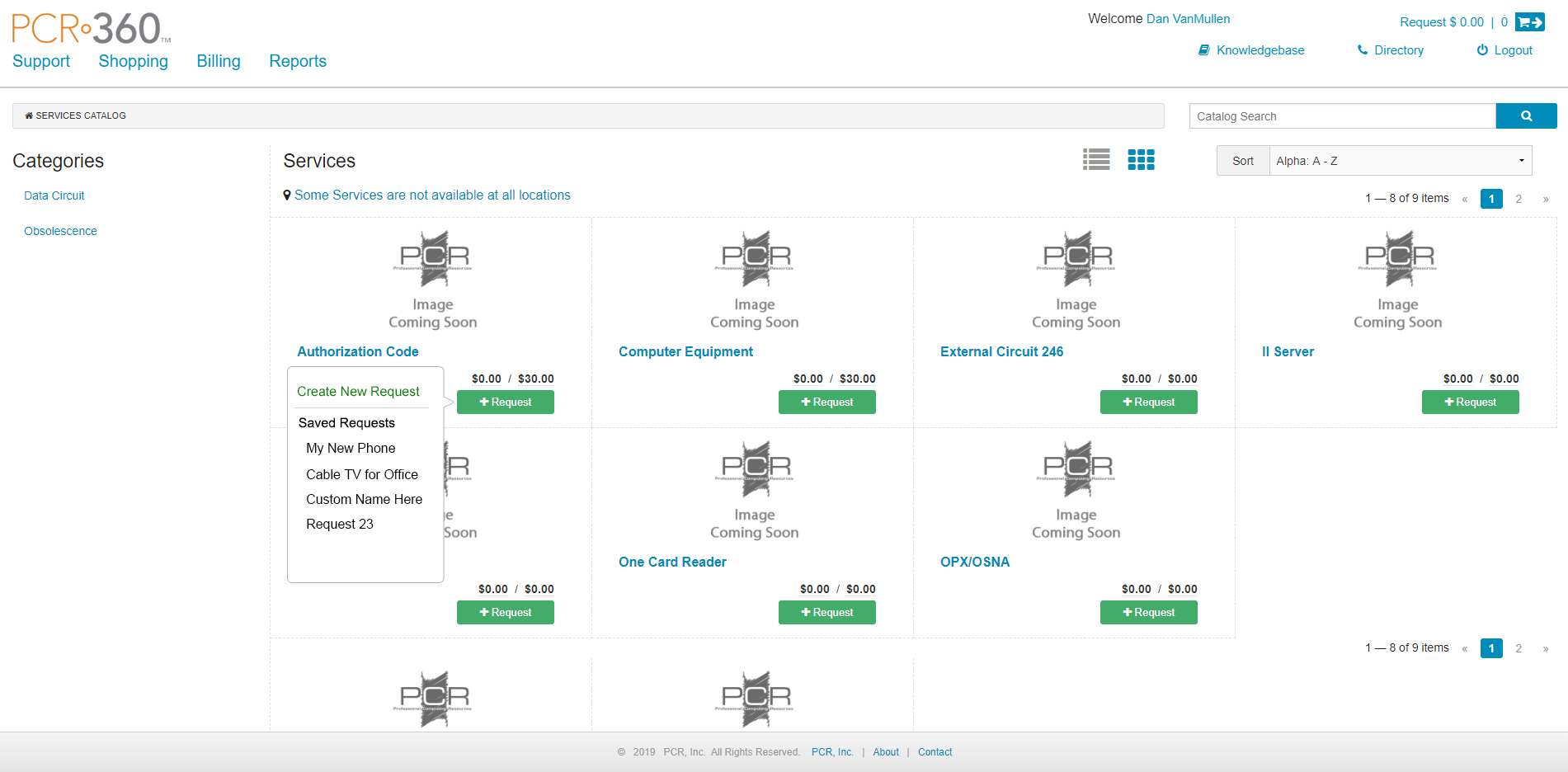
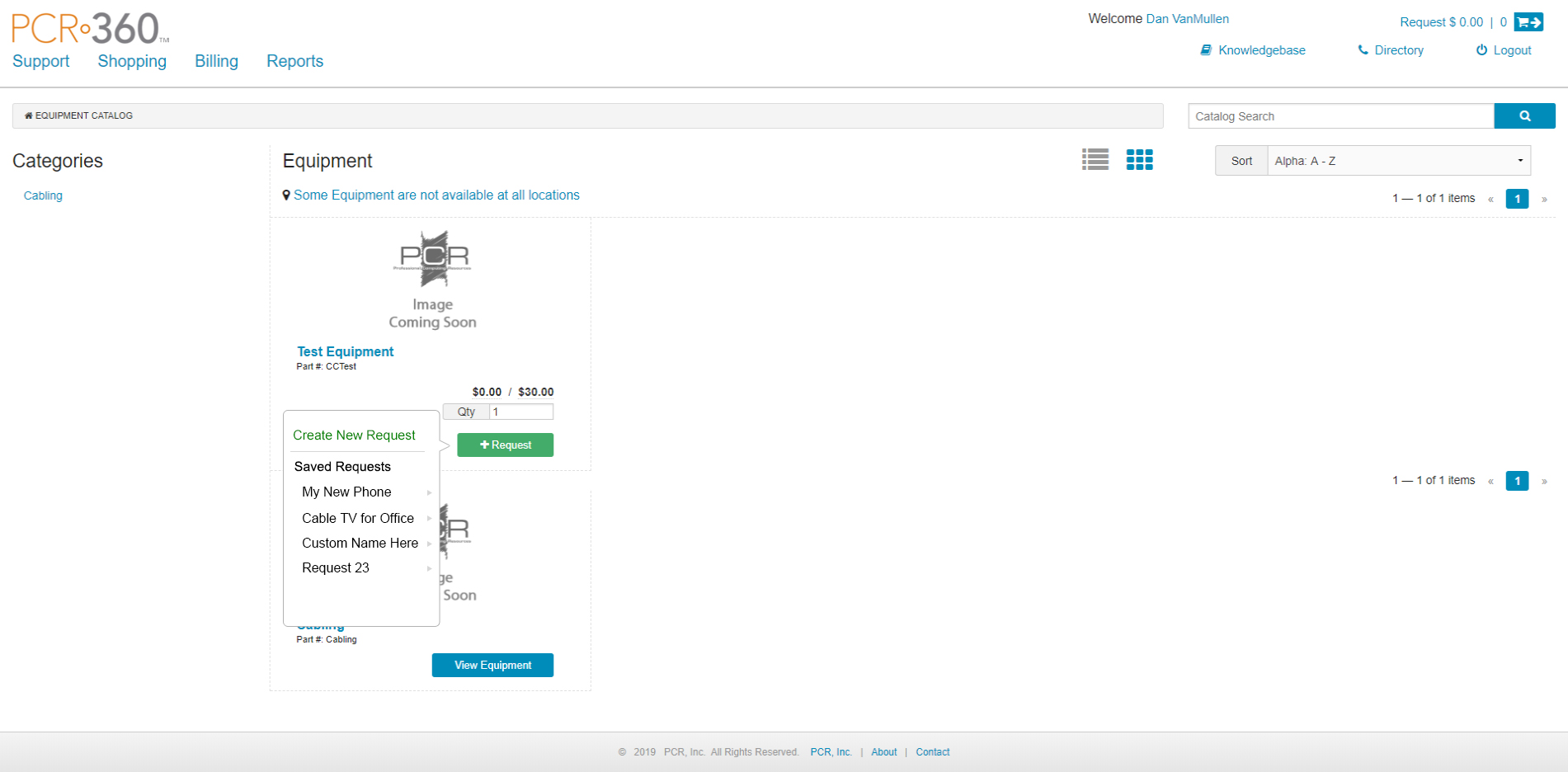
Adding items to the cart will be different with the new cart design. Clicking on the "+Request" button will present the user with a menu that includes a top section to "Create a New Request" for adding Services or Equipment, and a list of existing "Saved Requests" in the cart. Selecting one of the saved Requests will add an Action that request.
Adding a Service Menu
Adding Equipment Menu
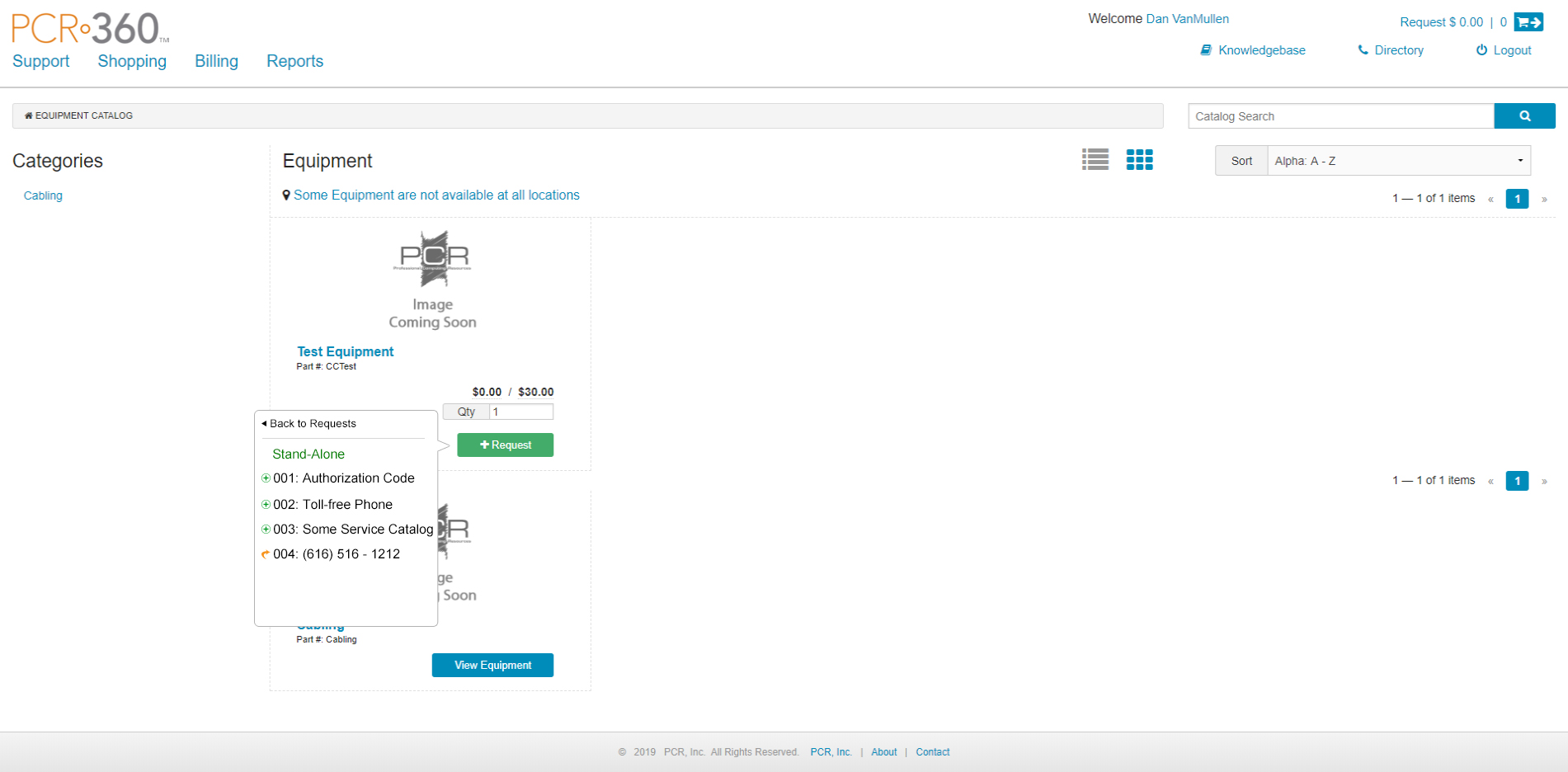
Equipment can be added to an existing Action by selecting a Request on the first menu and then selecting the action. The list of Actions will replace the list of Requests on the menu once a Request is selected.
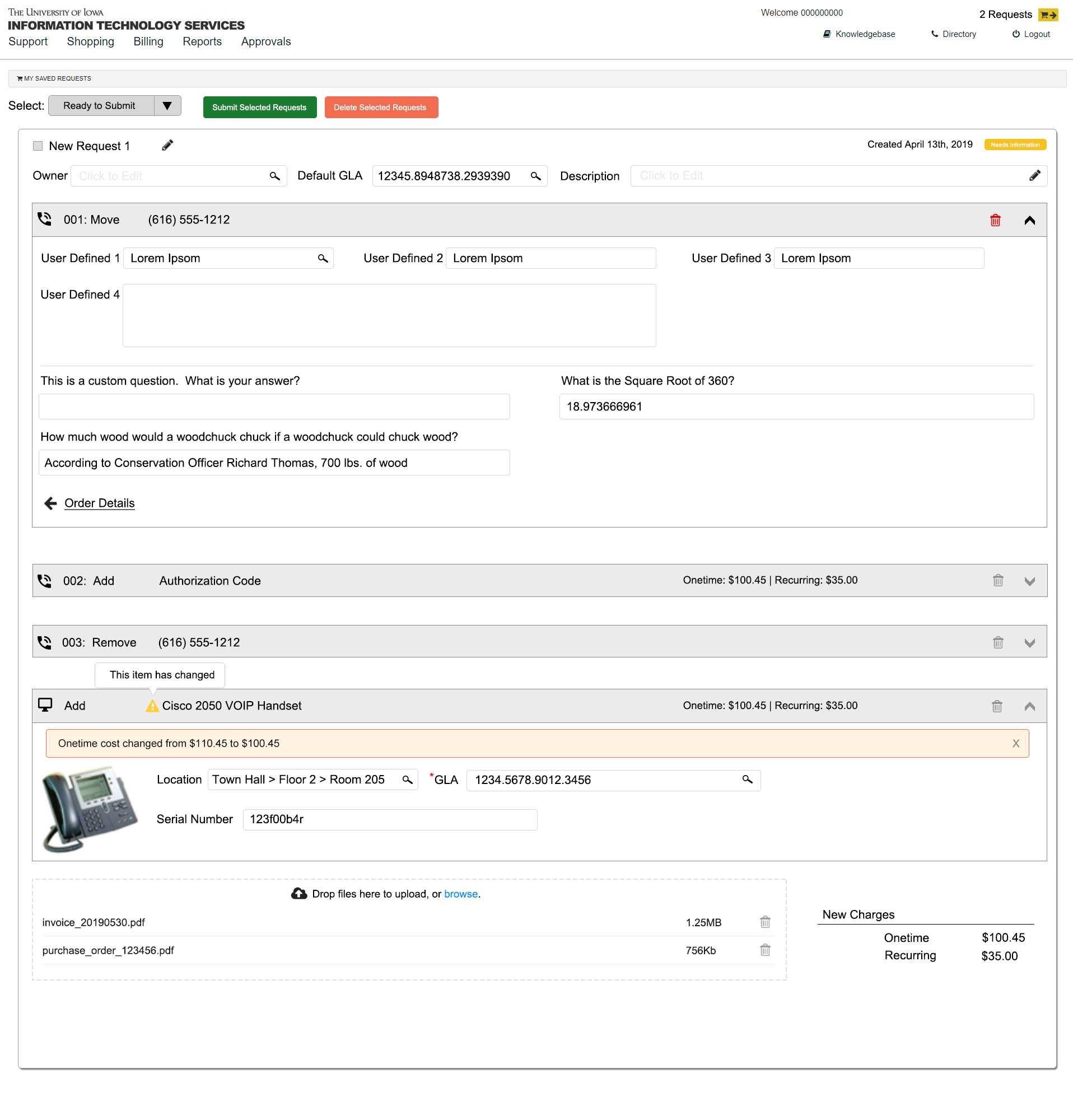
Cart Page
Order Details
.jpg?cb=28be9636ba997b9575db9b62e4f9d497)
Additional Information
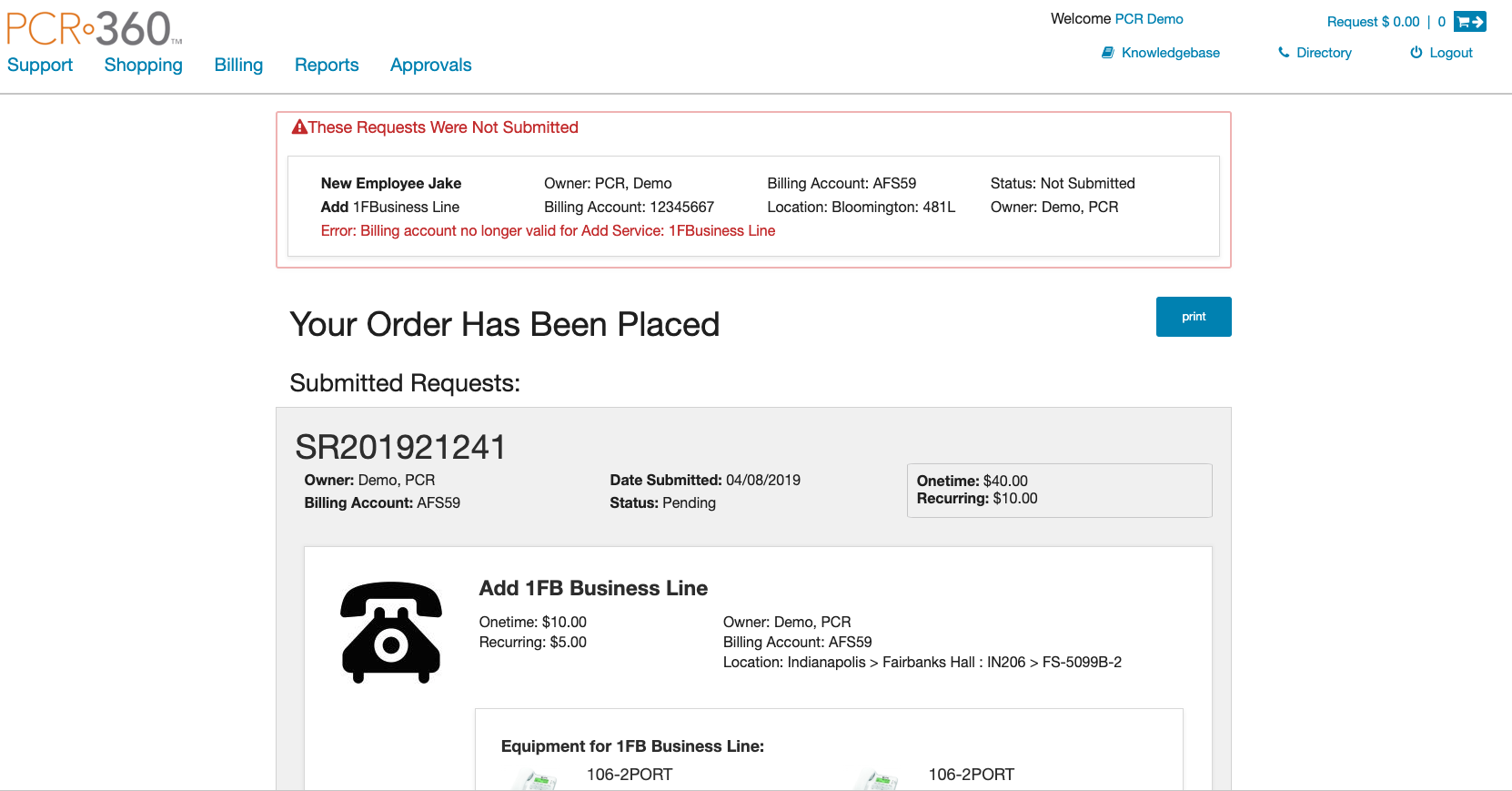
Summary Page
This is an example of an instance where one Request was submitted and one failed.
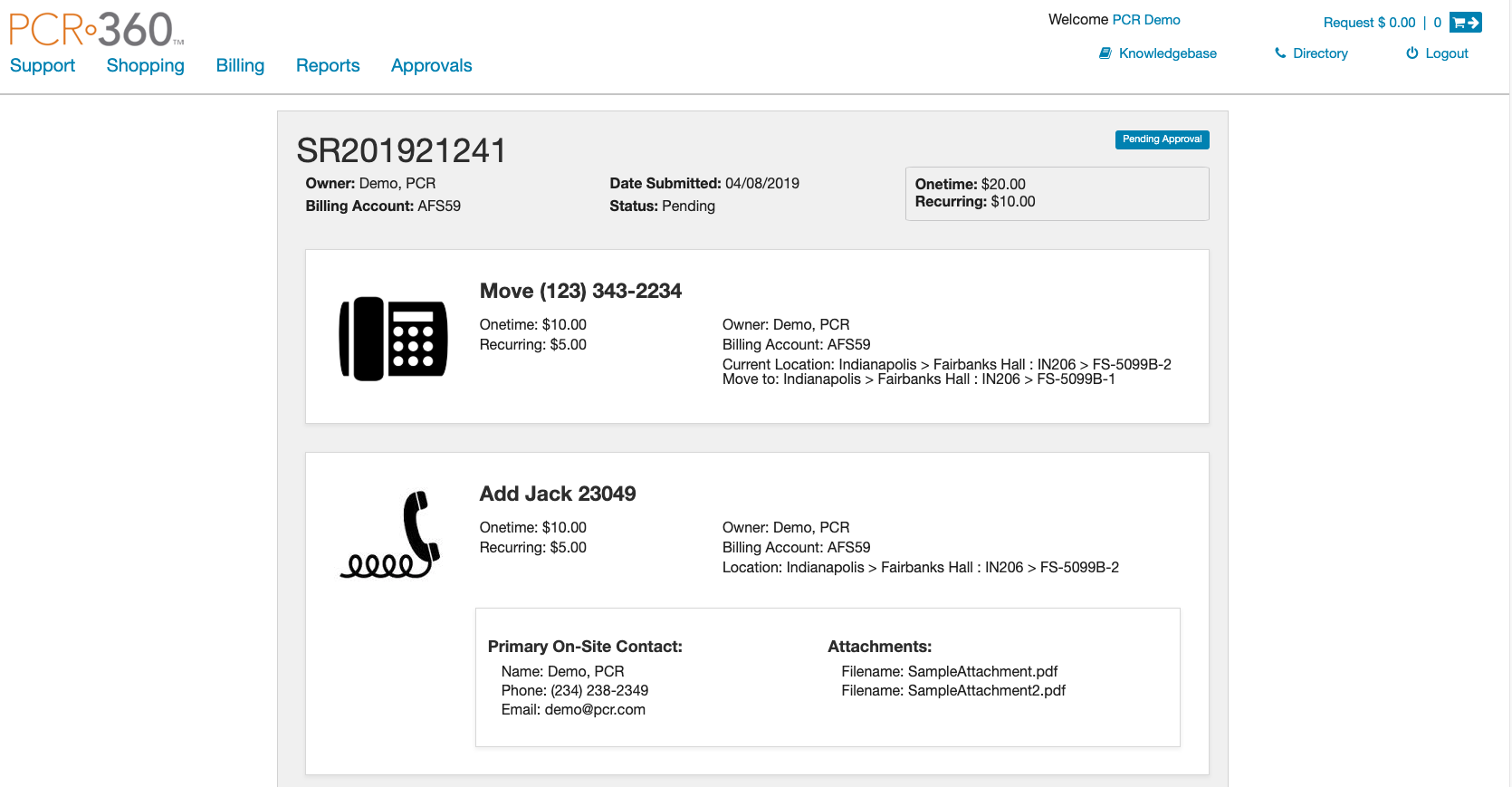
This is an example of a Move Service Request.
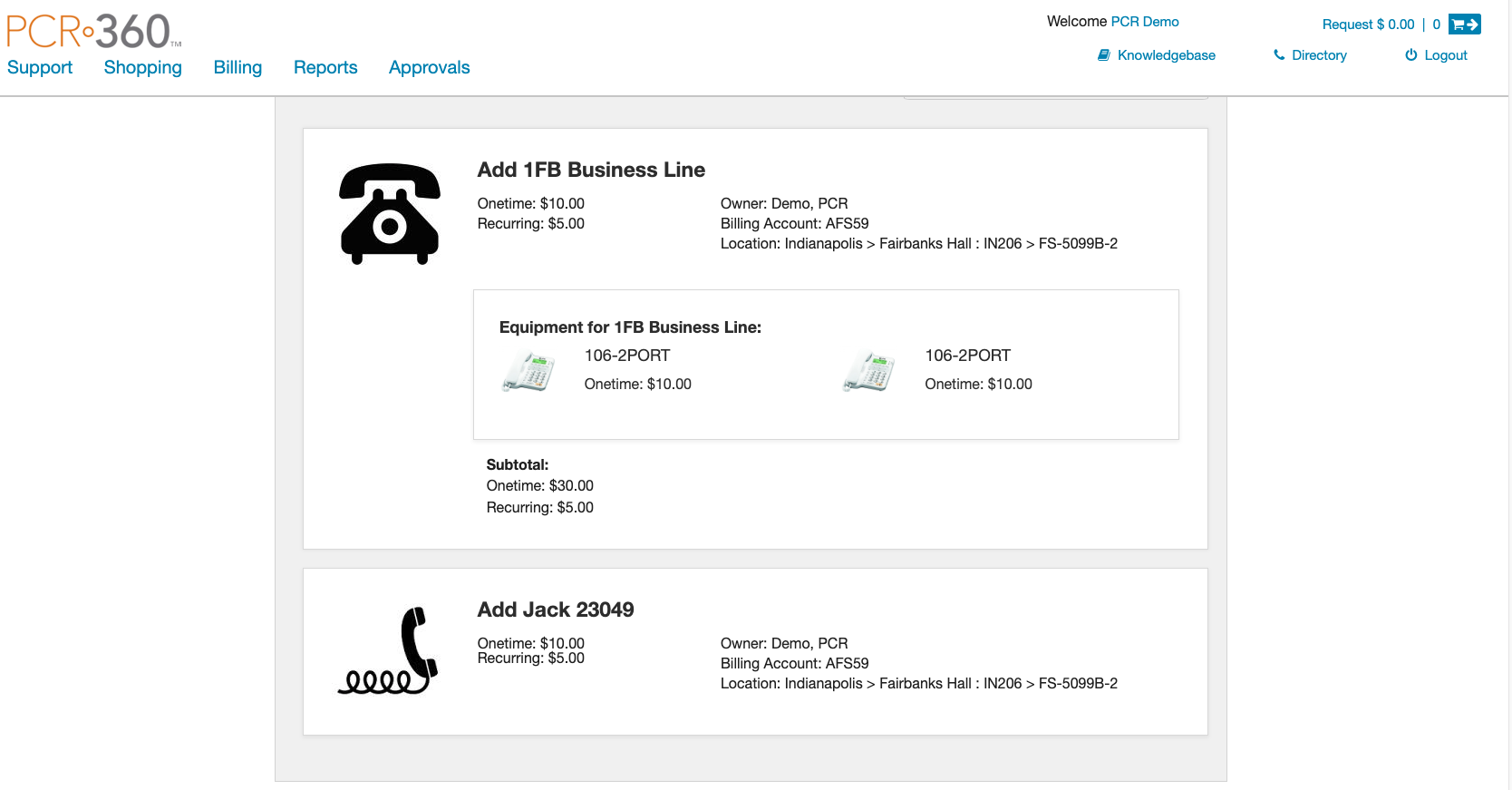
This is an example of an Add Service Request.
Questions
Below is a list of questions to be addressed as a result of this requirements document:
|
Question |
Outcome |
|---|---|
|
If all items in the cart are submitted, should we allow only the items with complete information to be submitted? Or block the entire cart from submission? |
Incomplete items in the cart cannot be selected for submission. |
|
In the cart view, how can we indicate that an item is missing information? |
Each request will have a label indicating whether or not the request requires additional information before submission. |
|
Can Equipment be moved to another Request or Action in the Cart? |
No, Equipment on an Action or Request cannot be moved to another Action or Request. |
Not Doing
-
At this time it will not be possible to select multiple Actions at one time and move them to another Request.
-
At this time we are not adding Comments/Remarks to the Request level. The Request has a Description.